A deep work time block planner has one job: hold a fixed window for one kind of work and show where it ends. Pomodoro Warrior does this as a dungeon run, where you set the combat minutes, the rest minutes and the number of waves, then fight until the last wave falls. It is an Android focus timer, not a full planner, so you keep the day's plan elsewhere and use the app for the block.
Why it works
A block with no end is easy to start and easy to drop. The dungeon gives it an edge: each wave has a length, each rest has a length, and the last wave is the last. The monster's health bar is the time it has left, so your progress sits in front of you while you work.
In this scroll
I. What a time block covers
A time block is a fixed window for one kind of work. A deep work block is the same window with one extra rule: no switching inside it. You do not check messages, open another project or reconsider the task halfway. You decided that when you drew the block.
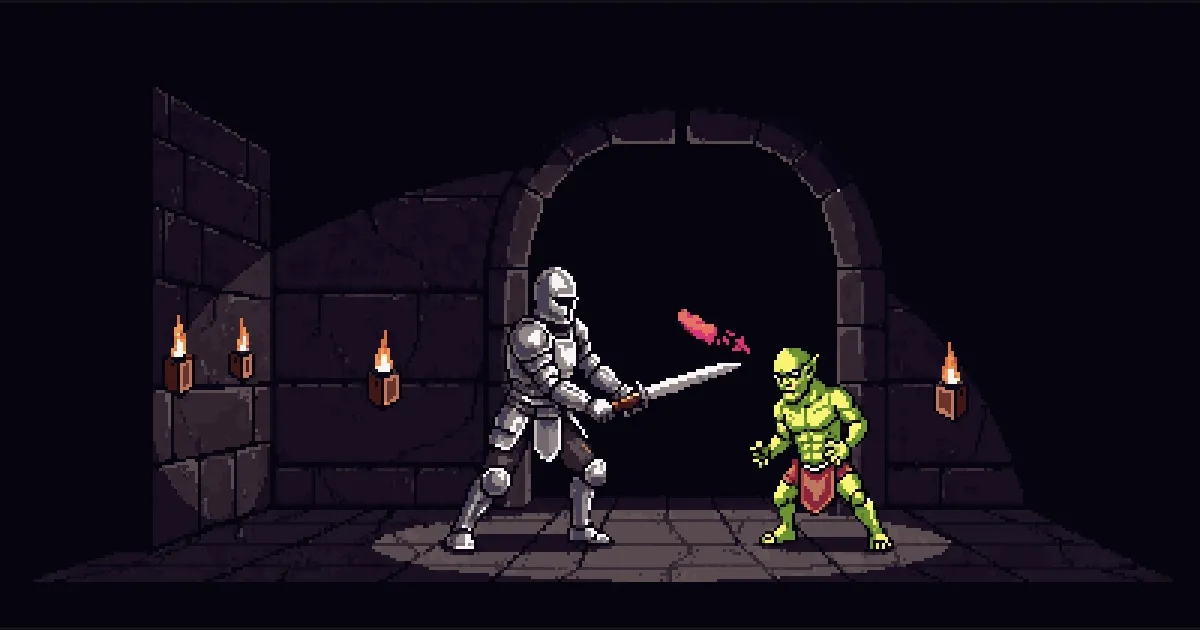
In Pomodoro Warrior the window is a dungeon run. While the clock runs, the warrior battles. When it stops, the warrior rests at the campfire. A new monster enters about every 5 minutes of combat, and its health bar is the time it has left, so the block has a shape instead of a blank stretch of hours.
The Classic Dungeon default is 4 waves of 25 minutes with 5 minutes of rest between them. That is a ready-made block with a clear end. If the method is new to you, start with the Pomodoro Technique for beginners and size your own blocks after one run.
II. Chart a block that fits your day
Not every block should be the Classic Dungeon. CHART A NEW DUNGEON lets you set the combat minutes, the rest minutes and the number of waves, so the block matches the work ahead. Siege Crypt runs 2 waves of 50 minutes with 10 minutes of rest, which suits one hard problem. Lightning Raid runs 6 waves of 15 minutes with 3 minutes of rest, which suits a pile of smaller pieces.
Rest is not optional. The next wave waits until the fire burns out, so count the rest minutes into the block's total length from the start. If you plan by combat minutes alone and forget the campfire, the plan is already wrong.
Choosing the wave length is its own question. Read why a 25-minute Pomodoro works and how long a Pomodoro should be before you chart something unusual.
A block needs a timer that suits the work inside it, so choosing the best pomodoro app for your focus is worth a look before you chart one.
III. A deep work time block planner
Be clear about what the app is. Pomodoro Warrior has no task list, calendar or to-do manager. If you searched for a deep work time block planner template or a Cal Newport time block planner PDF, those are pages where you write the day down. Keep that page in the tool you already use, and let the app run each block on it.
Turn on strict combat focus in Realm to keep the screen on during the block. It is a switch, and it is off by default. Leaving combat for more than 30 seconds resets the streak unless a Streak Ward absorbs it, which gives the no switching rule some teeth.
Interruptions still happen. Closing the app mid fight is safe, and the battle returns on the same monster with the same time left, so an interrupted block can resume. The app is paid: the Royal Guild Pass opens the whole game. Chart your first deep work time block in Pomodoro Warrior and see how the battle holds your focus.
IV. Track blocks with EXP and streaks
Every finished wave pays EXP, which raises your level. Each band of levels carries a rank title, from Warrior to Warlord, and the leaderboard ranks warriors by EXP and opens from the tavern. Over time the total shows how much deep work you finished, not how much you planned.
The streak counts days in a row with at least one finished battle, so one block a day keeps it alive. A Streak Ward costs 50 gold, a warrior holds at most 2, and one covers a missed day.
Gold comes only from quests. SWEAR A NEW OATH lets you set your own goal and target, with an optional deadline, so you can swear to finish a set number of waves on one project.
V. Questions people ask
**What is the best planner for time blocking?** Pomodoro Warrior is not a full planner, since it has no task list, calendar or to-do manager. It is an Android focus timer that runs one block at a time as a dungeon, so pair it with the planner you already use for the day.
**Can I stop a deep work block halfway?** Closing the app mid fight is safe, and the battle comes back on the same monster with the same time left. Rest is not optional, so the next wave waits until the fire burns out.
**Do I need a calendar to use a time block?** Pomodoro Warrior has no calendar integration, so the block lives inside the app and not in your calendar. Pick a default dungeon or chart your own, then start it when the block begins.
Three rules to take into the dungeon
- 01
Count the campfire in
A block is combat plus rest. Add both before you promise the block to your day, and the plan will still be true at the end.
- 02
Choose the last wave now
Decide how many waves the block holds before you begin. The end you set in advance is the one you will reach.
- 03
Plan elsewhere, fight here
Keep the day's plan in a tool made for plans. Let the app hold one block at a time and nothing else.
Dispatch this scroll to fellow warriors
Pomodoro Warrior Team
The small team building Pomodoro Warrior. These scrolls explain the design decisions behind the app and the research they rest on.
Scrolls logged: 13 Meet the guild mastersHear the horn before the gates open
One dispatch when a new scroll lands or the beta opens on Google Play. No daily raids on your inbox, and one word gets you off the roster.